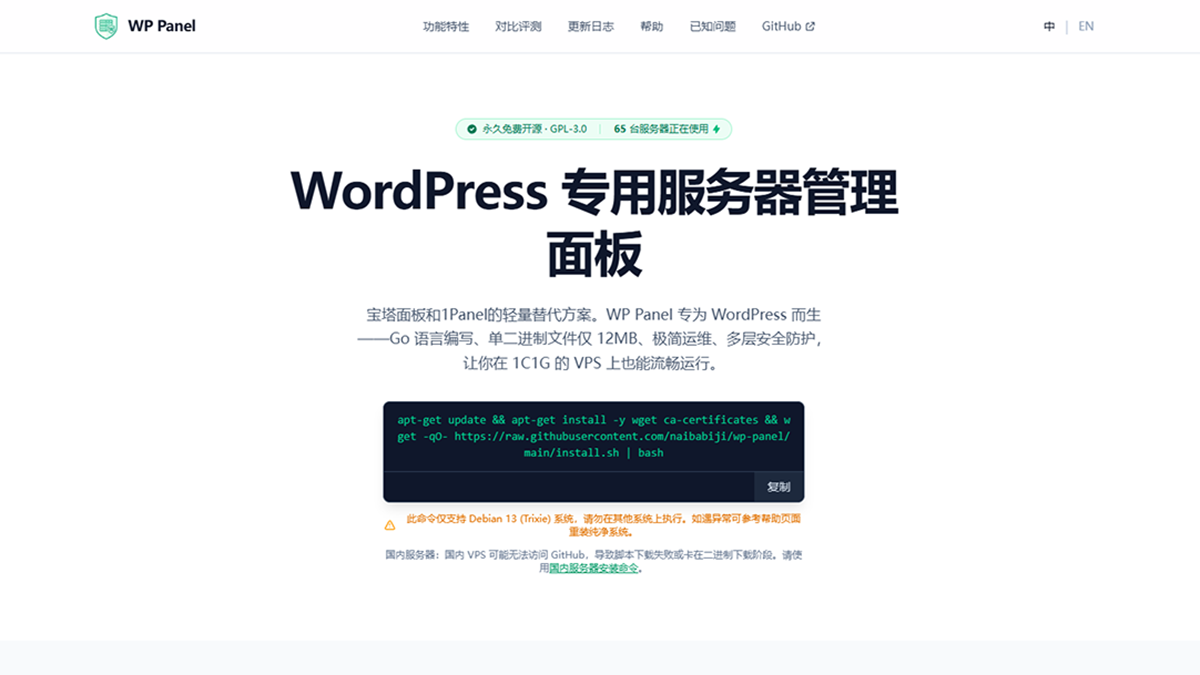
A lightweight alternative to Baota and 1Panel. WP Panel is built for WordPress — a Go single binary (~20MB, typically 20-50MB RAM) with site building, FastCGI cache, file locking, backup and monitoring all built in. Ships production-ready and secure by default, and runs smoothly even on a 1C1G VPS.
A graphical admin that needs no commands. One command to install, then build sites, enable SSL and run backups all from the web UI.
Compared to Baota and 1Panel, WP Panel takes "built for WordPress" to its limit.
Frontend and backend compiled into one dependency-free file. ~20MB on disk, 20-50MB RAM at runtime.
Ships production-ready security: BasicAuth + Web dual auth, bcrypt hashing and layered defenses out of the box.
Just a 20MB binary that runs smoothly on a 1C1G VPS, with an auto Swap buffer when memory is tight.
GPL-3.0, free forever — no paid tier, no feature gating, and the source is fully auditable.
Lean, fast and secure. Only the features WordPress operations truly need.
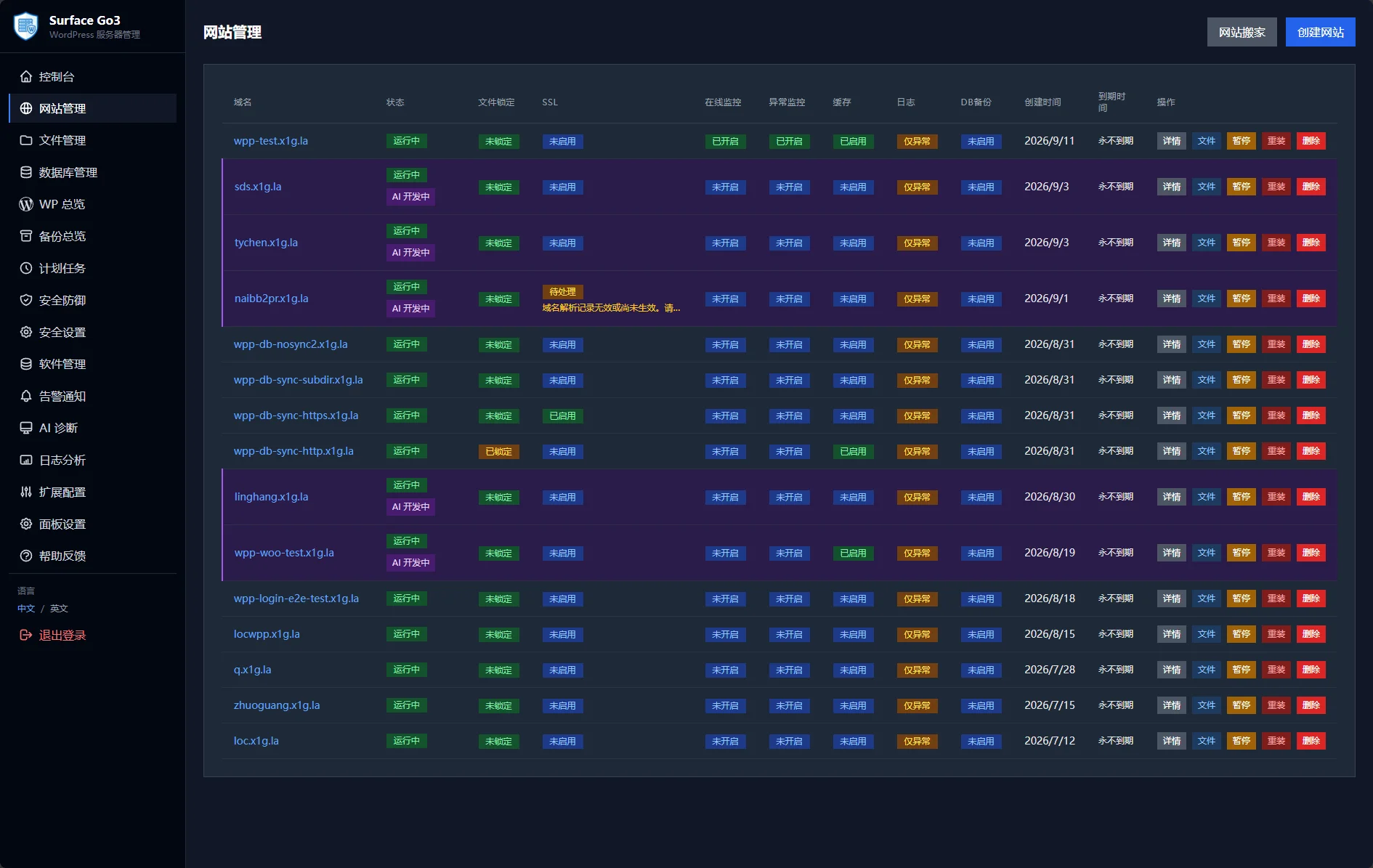
One-click create WordPress or generic PHP sites, with PHP-FPM Pool, Nginx and SSL auto-configured. Pause, delete or reinstall with full auto-rollback.
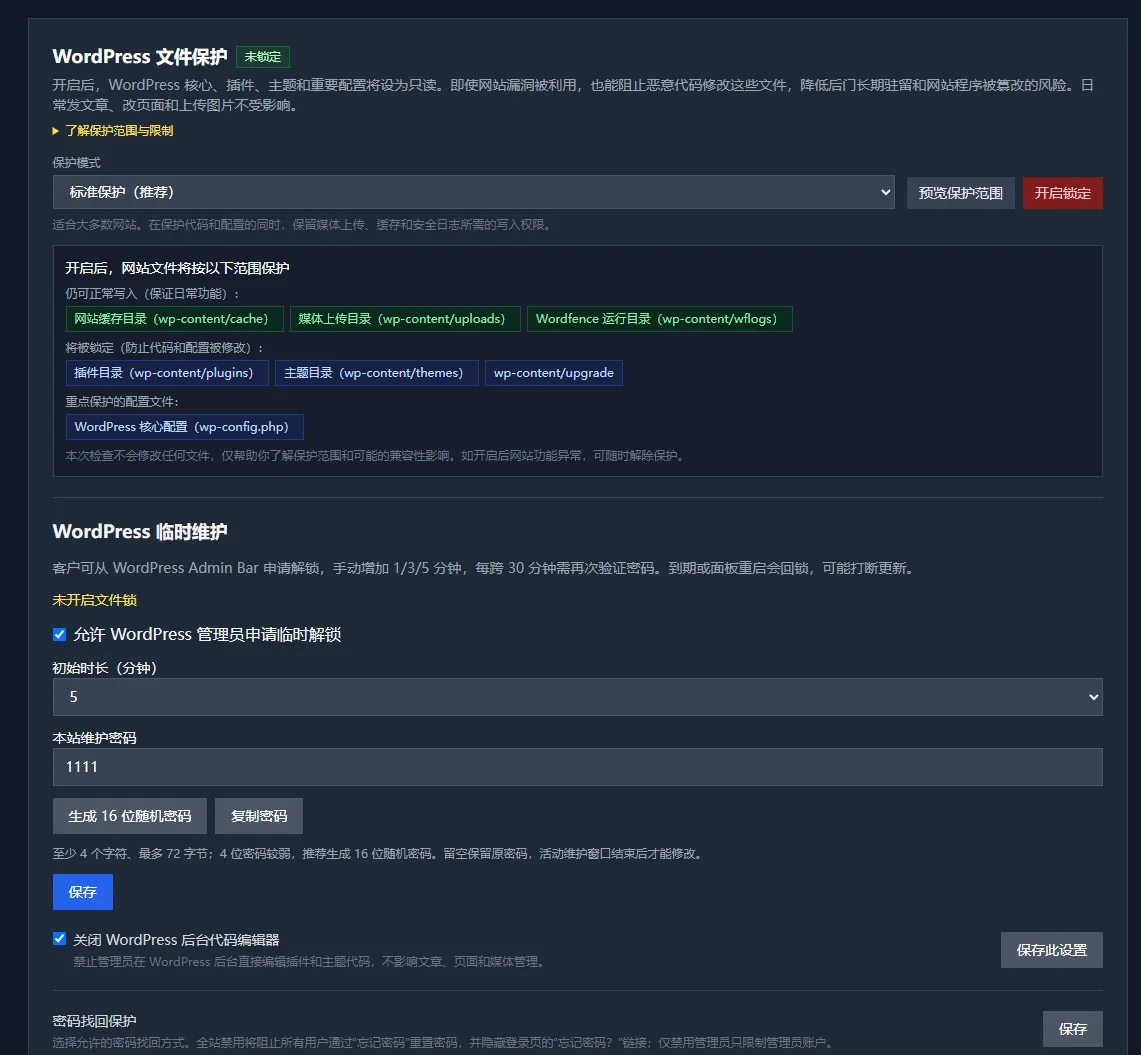
One click sets core code and sensitive configs read-only, leaving only uploads writable — Standard / Strict modes. Anti-malware and tamper-proof, with an integrity baseline.
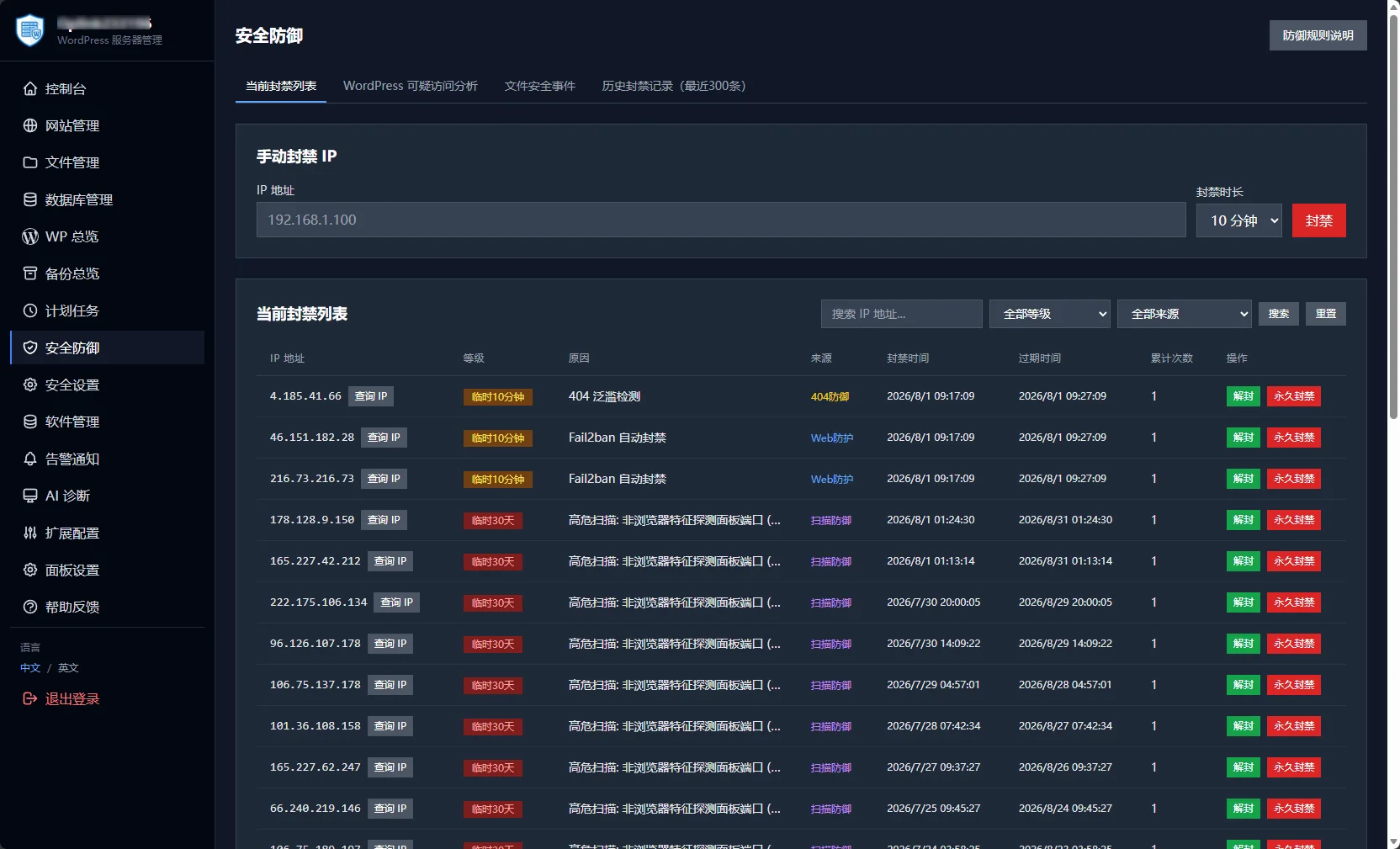
Progressive multi-level banning, Fail2ban + Nftables integration, panel scan defense and suspicious-access analysis. Independent crawler rate limiting, every block is logged.
Nginx FastCGI Cache out of the box — one-click enable, auto-skip logged-in users and carts. A companion WordPress plugin purges cache; TTL is adjustable.
Hourly snapshots of site content, app passwords and DB objects. Once a baseline is built, anomalous changes alert instantly — you know the moment a site is tampered with.
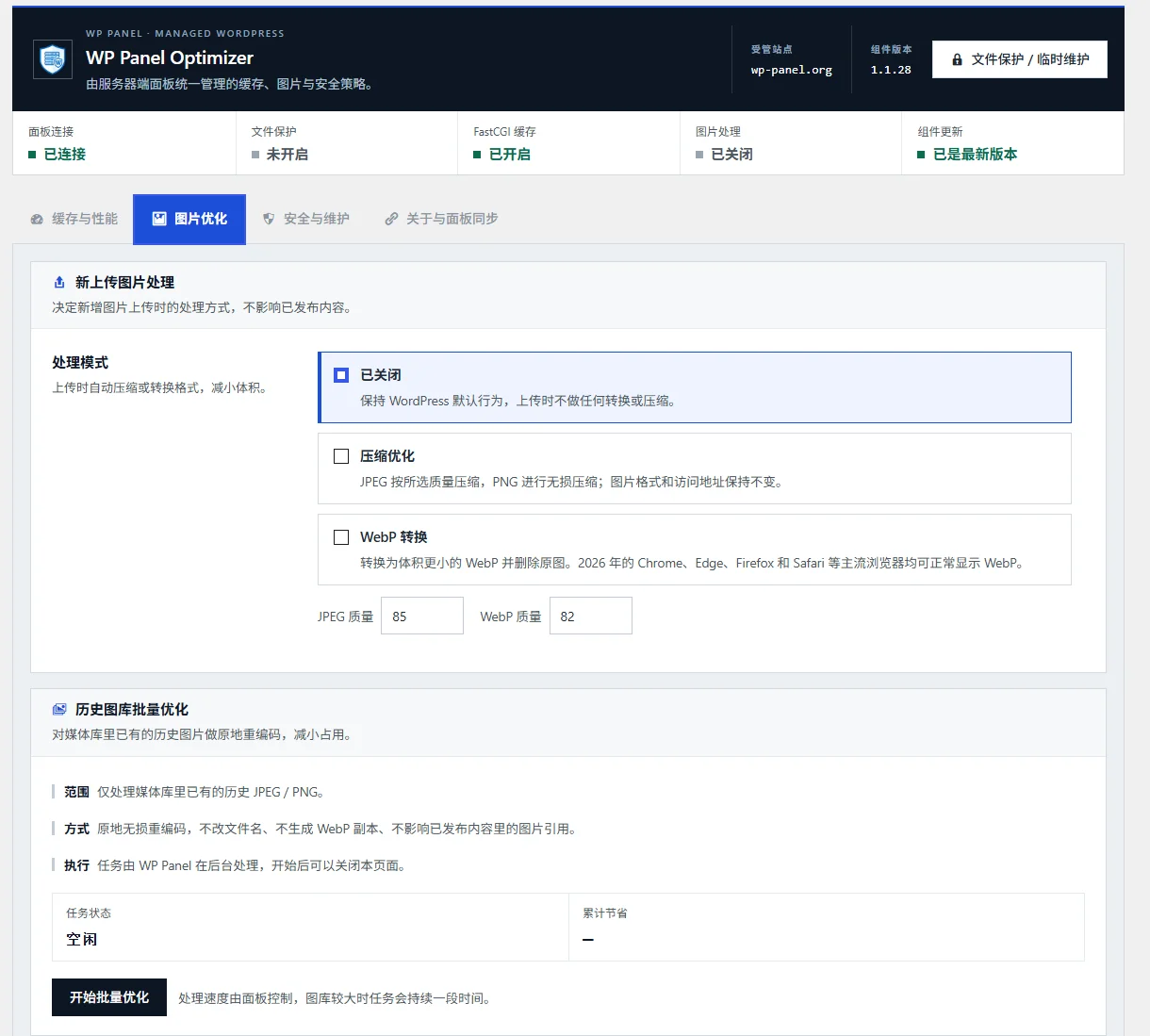
New uploads auto-convert to WebP and compress; bulk-optimize your existing library. No extra plugin needed — pages get faster on their own.
Breadcrumb navigation, multi-select, compress/extract, cross-directory cut & paste. Chunked uploads with resume, and built-in Zip Slip protection.
Backup, restore, upload-restore and scheduled backups. Site backups archive offsite via SSH + rsync or S3, keeping local copies per policy.
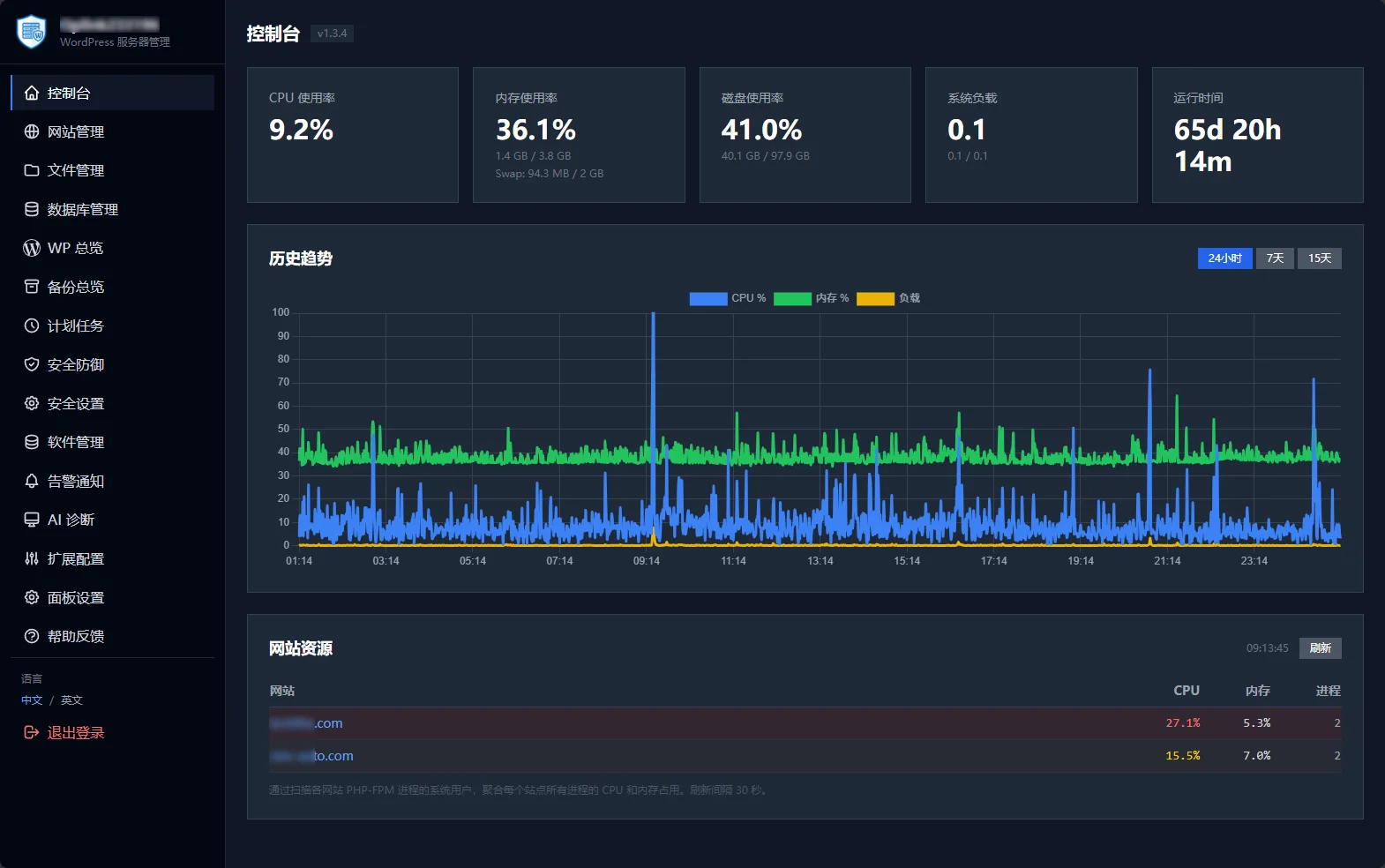
Real-time CPU / memory / disk / load cards with 24h / 7d / 15d history. 1-minute sampling, data auto-pruned after 15 days.
Visually create recurring tasks: custom commands, incremental file backups, WP Cron calls. Auto-written to system crontab, last 300 log lines viewable.
Nginx / PHP / MariaDB / Redis at a glance. systemd supervision, visual config editing, with automatic syntax validation on save.
Auto-checks OS security patches and new panel versions. Panel updates pass SHA256 + Ed25519 dual verification, with auto-rollback on failure.
Centrally update core, plugins and themes — auto-backup, maintenance mode, health check and rollback before each update. Multi-select bulk plugin updates.
Aggregates WordPress, PHP, database, service status and logs, then analyzes site anomalies in one click. Follow-up questions in session, with diagnosis history kept.
Auto-creates a Swap safety buffer, watches for OOM and core-service anomalies with incident snapshots. SMTP email and Webhook alerts supported.
Creating a WordPress or PHP site is just a domain field away. The panel auto-creates an isolated user, dedicated database, PHP-FPM Pool and Nginx config, rolling back on failure — from panel open to live site in 6 steps in our tests.
One click locks core code read-only — even if an attacker breaks in, they cannot change files. Hourly anomaly monitoring baselines your content and alerts on any tampering. Combined with four-level progressive banning and panel scan defense, you are covered from network to filesystem.
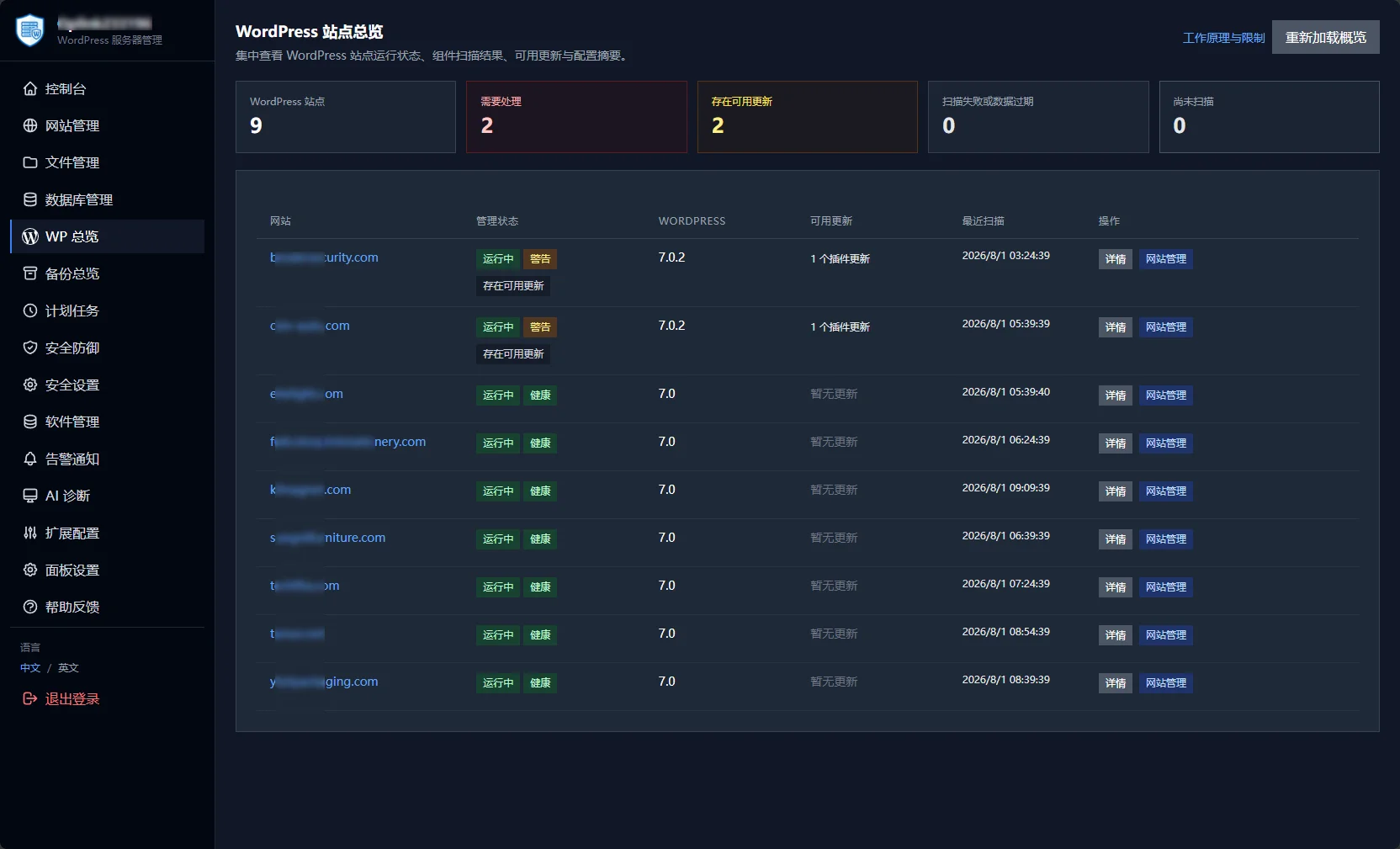
See the run status, core version, component scan results and available updates of every WordPress site at once, and locate the ones that actually need attention.
Every block is auditable: source IP, ban level, trigger reason and expiry. Manually add an IP ban, unban or permanently blacklist in one click. Multi-level bans from 10 minutes to permanent, auto-pruned on expiry, and `wp unban` clears them all.
Once enabled, newly uploaded JPEG/PNG auto-convert to WebP and compress; bulk-optimize your existing library in one click. No extra plugin needed — your Core Web Vitals improve directly.
Baota and 1Panel are great general panels; WP Panel is purpose-built around WordPress hosting, caching, security and bulk maintenance.
| Dimension | WP Panel | Baota | 1Panel |
|---|---|---|---|
| Resource usage | ~20MB binary, 5.7 GB software stack | 8.0 GB stack | 9.1 GB stack |
| WordPress performance | 28.10 QPS no-cache · 283.59 QPS cached | 2.67 QPS no-cache, no one-click cache | Not in this test |
| Security | 4-level banning + scan defense, out of the box | Advanced defense needs 3rd-party plugins | Basic firewall |
| WordPress focus | Cache, dual-track deploy & wp-login guard native | General panel | General panel, Docker-based |
| Free & open source | GPL-3.0 fully free |
Some features paid | Open source (per vendor) |
Based on WP Panel v1.2.x (Jun 2026, latest at test time). Panels iterate fast, so some results may have changed — see the comparison page for the latest.
Jun 2026: three same-day Vultr 1C1G servers (NY, $5/mo) running each panel, load tested from a separate 4th machine. ApacheBench · 1000 requests / 10 concurrency. Some non-2xx responses under no-cache are WP Panel’s default security rate-limiting.
Open source & auditable · dual-signed updates · secure by default · GPL-3.0 forever free — everything here is verifiable by you.
GPL-3.0, source on GitHub for anyone to review anytime — no paid tier, no feature gating.
Updates pass SHA256 + Ed25519 signature checks, with auto-rollback on failure — your server is never left broken.
AI-driven development ships features from proposal to release in days; changelogs and releases are fully public.
Clearly states Debian 13 (Trixie) + PHP 8.3 only; help center, changelog and issue reporting are all in place.
Please confirm your server OS version before installing.
Debian 13 (Trixie) only. Reinstall a clean OS to troubleshoot compatibility.
At least 1 core CPU + 1GB RAM; auto-creates Swap below 1GB.
A single binary file, typically 20-50MB RAM at runtime.
Recommended 10GB+ for OS and apps; software stack ~5.7 GB.
Pick the install line that matches your server network.
apt-get update && apt-get install -y wget ca-certificates && wget -qO- https://raw.githubusercontent.com/naibabiji/wp-panel/main/install.sh | bash
For overseas servers and environments that can reach GitHub normally.
Note:
A Debian 13 server with SSH access. Minimum 1C1G.
Run the command as root or sudo; usually takes 5-10 minutes.
After install you get the URL and initial credentials — keep them safe.
Log in, create your first WordPress site, and change the default password.
Yes. After one install command, site building, SSL and backups are all done in the browser — almost no commands needed. For OS issues, reinstall a clean Debian 13.
Currently Debian 13 (Trixie) only. To use it elsewhere, reinstall a clean Debian 13.
Completely free. GPL-3.0, forever, with no paid tier and no feature limits.
WP Panel is WordPress-optimized, lightweight (20MB), fast to start, with native cache and security. Baota is broader but heavier, and some features are paid.
WP Panel focuses on WordPress ops — lighter with more native capability; 1Panel is a general container platform built around Docker.
If you only run WordPress, WP Panel can fully replace it — lighter and faster. For many non-WP apps, consider Baota or 1Panel.
We recommend a fresh WP Panel on clean Debian 13, then migrate site data with the built-in DB backup/restore and file manager. See the migration guide in the help center.
It uses BasicAuth + Web dual auth, bcrypt hashing and layered defense, with SHA256 + Ed25519 signed updates and auto-rollback. Fully open source for your own audit.
Open a GitHub Issue or check the help center. Changelogs and releases are fully public.